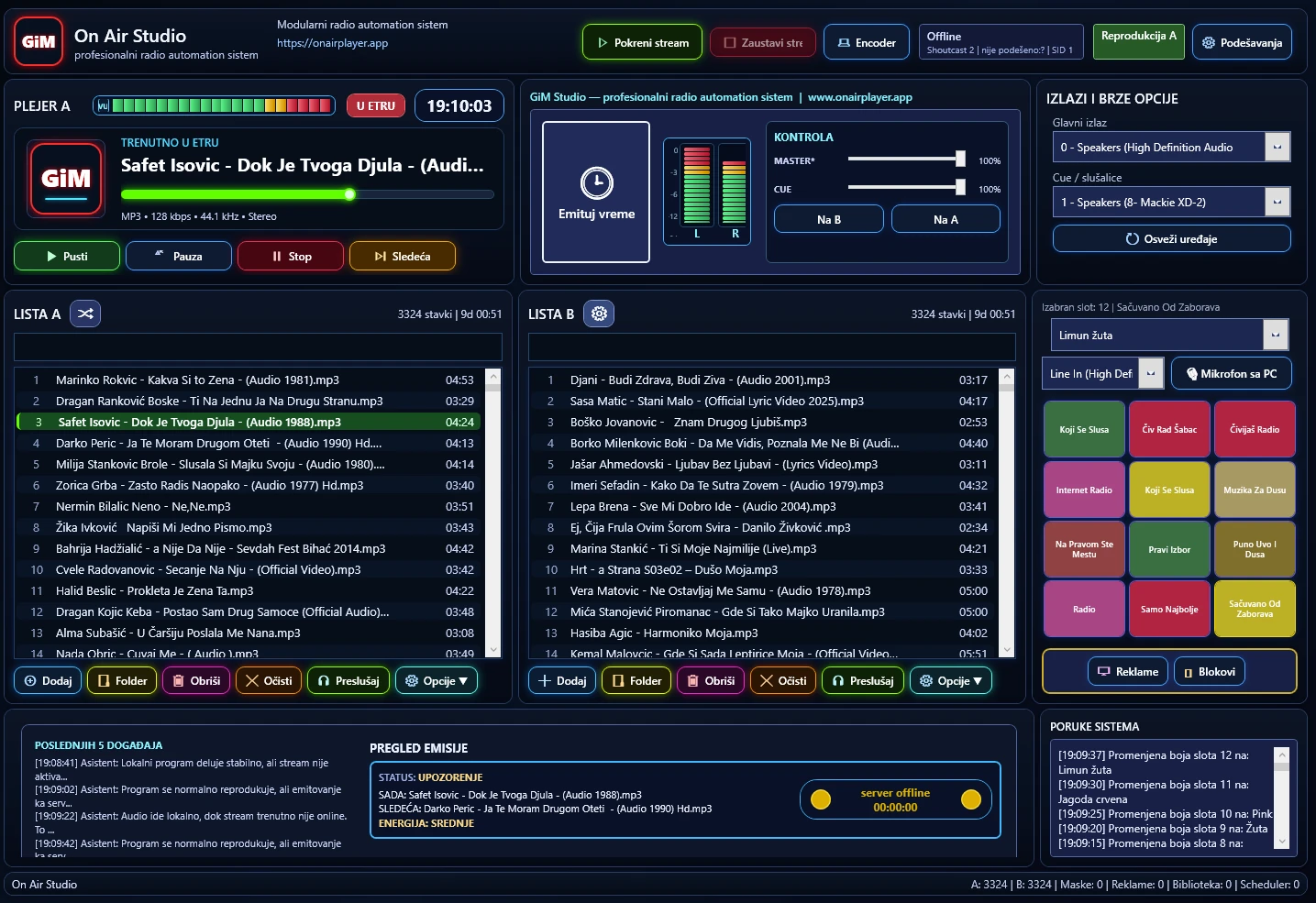
Main work screen
Central control of programme, lists, outputs, sweepers, system messages and server status.
Read On Air Studioprofesionalni radio automation sistem
The site shows the real product, not empty advertising. Each image helps explain how the application works.
Central control of programme, lists, outputs, sweepers, system messages and server status.
Read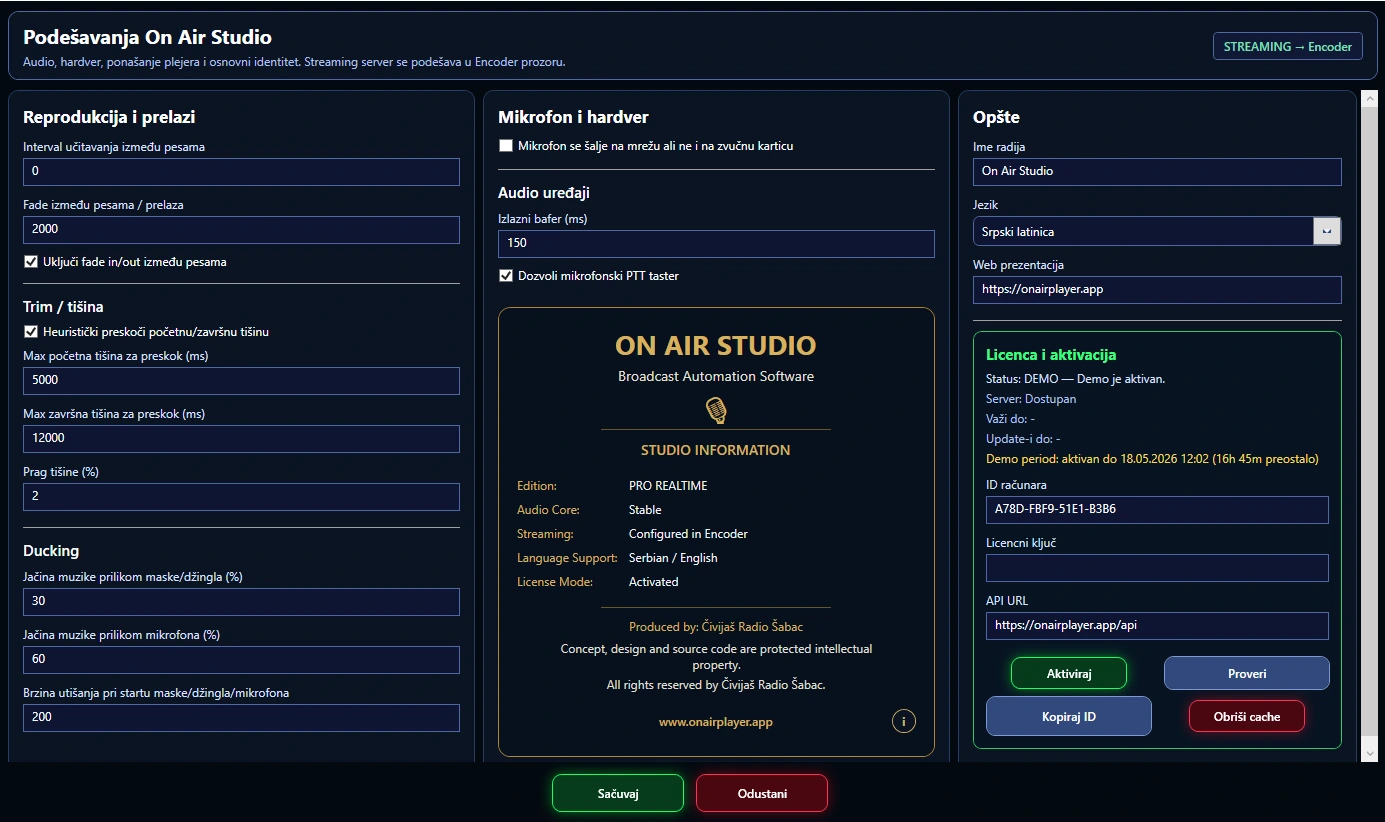
One place for audio hardware, microphone, ducking, transitions, trim and station identity.
Read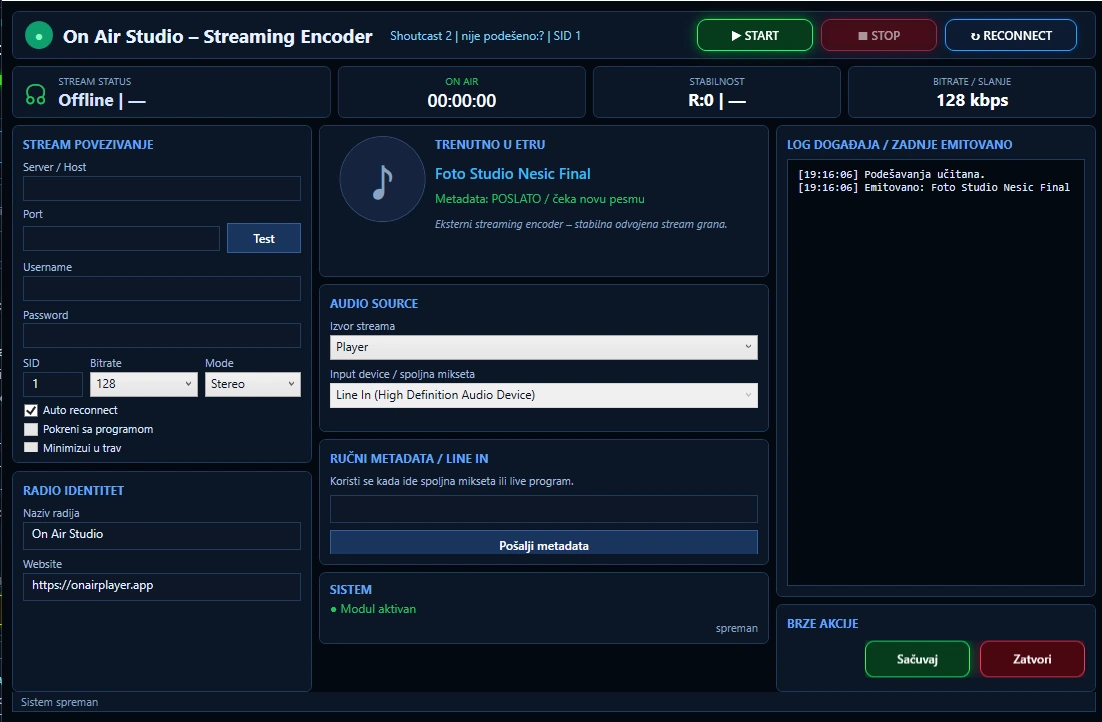
Stream connection control, metadata, logs and quick actions.
Read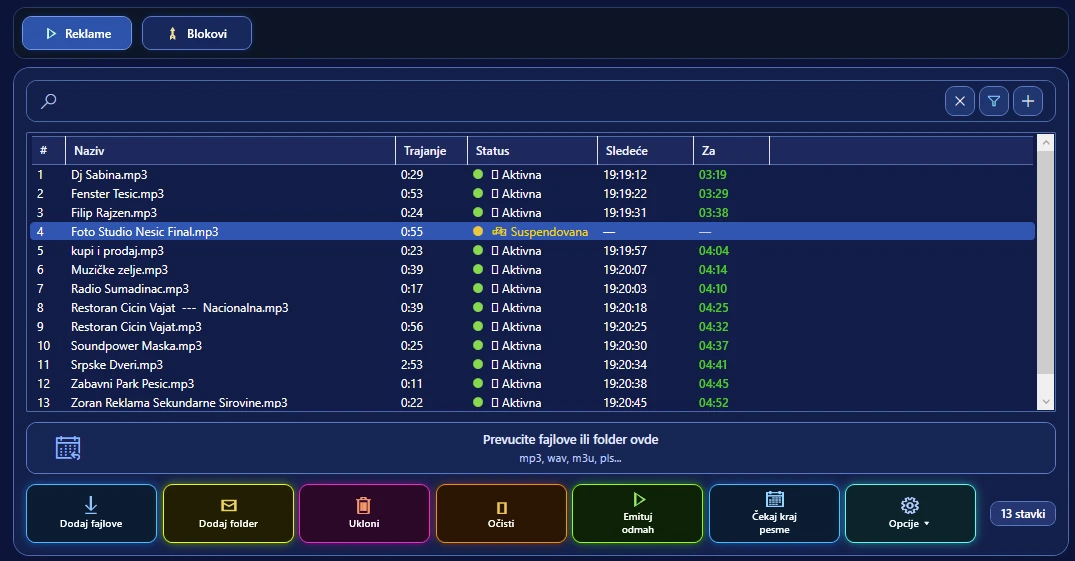
Precise organization of advertising blocks and automatic broadcast.
ReadThis section is intended for radio stations, web projects and users that use or test On Air Studio and related tools.
Examples of radio stations and web projects that can use On Air Studio and related tools.
A compact overview of the core elements that explain how the system fits everyday broadcast work.
 Čivijaš Radio
Open site ↗
Čivijaš Radio
Open site ↗  Radio Šumadinac
Open site ↗
Radio Šumadinac
Open site ↗