Previewing must never end up on air
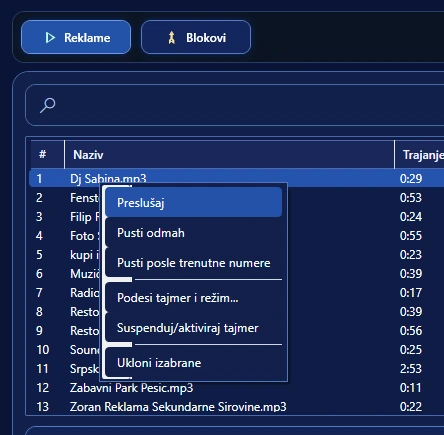
When the operator checks the start of a song, an ad, a jingle or another file, that sound must not accidentally go to the main output. That is why On Air Studio keeps Cue listening separate from the main programme and lets you select a dedicated Cue audio device.
What this means in practice
While listeners hear the current programme, you check another element on headphones: whether the right file is selected, how it starts, where the right entry point is. With no risk to the broadcast.
This is especially important live — there is no room for the “play it and see” approach. Cue is a safe zone for checking.
A separate audio device
The settings distinguish between the main audio device and the Cue device. It is classic studio logic: the programme goes to the main output, and previewing goes to headphones or another selected output.
An example of use
The next item in the playlist has an unusual name and you are not sure whether it is the right version. Instead of putting it on air, you open Cue, check a few seconds and close the preview — while the main programme continues undisturbed.
What you get
- safer content checks;
- preparation of the next element while on air;
- fewer wrong versions and unwanted starts;
- a workflow like in a classic radio studio;
- a clear line between “I am listening” and “the audience is listening”.
Real separation depends on the audio devices and a correct Windows configuration. If the computer has only one output that is used for everything, physical separation is limited by the hardware.